
Hosted by site sponsor WebMate.
MacBook Air Q&A
Published February 22, 2008
All Mac Q&As >> MacBook Air Q&A (Home) | Also See: All MacBook Air Specs
To be notified of new Q&As, sign up for EveryMac.com's bimonthly email list.
How fast is the original MacBook Air compared to the MacBook and MacBook Pro available at the time it was released?
Please note that all models mentioned in this Q&A have been discontinued. However, this Q&A is up-to-date and useful for anyone buying one of these models on the used market.
An astute reader might notice that Apple generally has provided some basic benchmarks evaluating the performance of the MacBook and MacBook Pro models, but did not do so for the original MacBook Air.
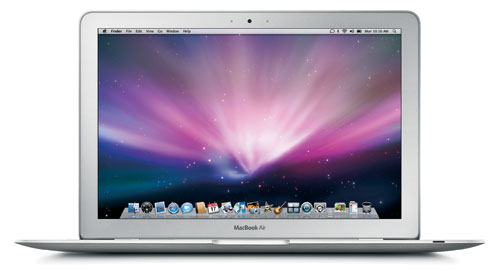
Photo Credit: Apple, Inc.
Subnotebooks never have been known for their performance, merely their size, but with even a quick glance at the specifications for the MacBook Air compared to the MacBook or MacBook Pro models, one will notice that the MacBook Air has a 1.6 GHz "Core 2 Duo" processor -- with a slower clock speed than any other MacBook -- as well as a stock 4200 RPM hard drive and unremarkable integrated graphics.
With these specifications, it would be a safe assumption that the MacBook Air is slower than the MacBook or MacBook Pro models.
Third-Party Performance Evaluation
A variety of reviewers put the MacBook Air through its paces, and came to much the same conclusion.
The always excellent MacInTouch [no longer online] reported that:
With a 1.6 GHz, Core 2 Duo processor and a 4200-RPM hard drive, nobody expects the MacBook Air to be a speed demon. So we were pleasantly surprised by its general responsiveness. While disk-intensive operations, such as starting up applications, were noticeably slower than on a MacBook Pro, routine web browsing, email, and word processing tasks were quick. PowerPoint 2008 ran transitions and builds in its dual-screen Presenter Tools mode with no slow-downs at all.
Geekbench scores, which test pure processor performance, show the 1.6-GHz MacBook Air to be about 80% the speed of a 2.0-GHz "Late 2006" MacBook.
The continuously reliable MacWorld discovered that:
The MacBook Air is quite a bit slower than the other MacBooks. The MacBook Air was also outpaced in our tests by one of its closest desktop cousins, the ultracompact Mac mini 1.83 GHz Core 2 Duo. Its Speedmark score of 124 is the lowest score we've recorded for any Intel-based Mac laptop, but it does handily beat our PowerPC laptop reference system, the 1.67 GHz PowerBook G4. The MacBook Air is also clearly the slowest currently shipping Mac model.
The always in-depth ArsTechnica hit the MacBook Air with a full barrage of real-world and synthetic benchmark tests and concluded that:
The Air didn't fare too badly against the MacBook and MacBook Pro. There are a few tests where the MacBook had uncharacteristically long bars that may have been freak accidents, but otherwise everything else falls in line with what we would expect given the differences between the three machines. For its specs, the MacBook Air did rather well.
Performance Conclusion
Ultimately, the MacBook Air is remarkable for its size -- including a 13.3" display and a full-size keyboard in a very thin package -- but unremarkable in its performance.
- What is the battery life of the original MacBook Air in real-world usage tests?
- How fast is the MacBook Air (NVIDIA/Late 2008) compared to the original MacBook Air? How fast is it compared to the "Unibody" MacBook and MacBook Pro models?
In the US, site sponsor Other World Computing sells used and refurb MacBook Air models at bargain prices with free shipping, as well. On the other hand, if you need to sell a MacBook Air, A+ BBB-rated Cash for Your Mac and GoRoostr will buy your older notebook with an instant quote and prompt payment.
In the UK, site sponsor Hoxton Macs sells used MacBook Air models with a one-year warranty and free next day delivery throughout the UK. Delivery across Europe also is available starting at just £9.99 for two-day delivery to France and Germany.
Permalink | Report an Error/Typo | Sign Up for Site Update Notices
Established in 1996, EveryMac.com has been created by experts with decades of experience with Apple hardware. EveryMac.com includes, and always has included, original research incorporating detailed, hands-on inspection of packaging, computers, and devices as well as extensive real-world use. All information is provided in good faith, but no website or person is perfect. Accordingly, EveryMac.com is provided "as is" without warranty of any kind whatsoever. EveryMac.com, and the authors thereof, shall not be held responsible or liable, under any circumstances, for any damages resulting from the use or inability to use the information within. For complete disclaimer and copyright information please read and understand the Terms of Use and the Privacy Policy before using EveryMac.com. Copying, scraping, or use of any content without expressed permission is not allowed, although links to any page are welcomed and appreciated.