
Hosted by site sponsor WebMate.
MacBook Air Q&A
Revision Published July 5, 2012
All Mac Q&As >> MacBook Air Q&A (Home) | Also See: All MacBook Air Specs
To be notified of new Q&As, sign up for EveryMac.com's bimonthly email list.
How much faster are the custom configured Core i7-powered "Mid-2011" MacBook Air models than the stock Core i5-powered models? Is the extra performance worth the extra cost?
Please note that all systems mentioned in this Q&A have been discontinued. However, this Q&A is up-to-date and quite useful for anyone considering one of these notebooks on the used market.
For each of the stock "Mid-2011" MacBook Air models -- the MacBook Air "Core i5" 1.6 11-Inch (Mid-2011) and "Core i5" 1.7 13-Inch (Mid-2011) -- Apple offered a 1.8 GHz Core i7 (I7-2677M) processor as a "configure-to-order" upgrade. For convenience, EveryMac.com also crosslists these CTO configurations as their own models.
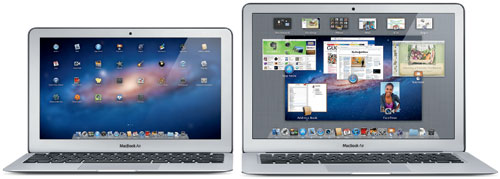
Photo Credit: Apple, Inc. (Left - 11" MacBook Air, Right - 13" MacBook Air)
Custom configuring the MC969LL/A configuration of the 11-Inch model -- which has 4 GB of RAM and 128 GB of flash storage by default -- with the faster Core i7 processor cost an extra US$150. Custom configuring the MC966LL/A configuration of the 13-Inch model -- which has 4 GB of RAM and 256 GB of flash storage by default -- with the faster processor only cost an extra US$100.
General Performance & Value Overview
In percentage terms, upgrading the processor cost an additional 12.5% and an additional 6.25%, respectively, for the 11-Inch and 13-Inch models.
For a solid general overview of the performance differences between these custom configured models and the stock models, as well as other Macs, EveryMac.com's own Ultimate Mac Comparison makes it quick to compare side-by-side 32-bit and 64-bit Geekbench benchmark averages with all other G3 and later Macs for thousands of possible performance comparisons.
The Geekbench benchmark shows that when custom configured with the Core i7 processor, the 11-Inch and 13-Inch models are roughly 27% and 8.5% faster than their respective stock models.
Consequently, a quick calculation would conclude that the Core i7 upgrade was a good value for the 11-Inch model -- providing 27% more performance for 12.5% more money -- whereas the value of the upgrade for the 13-Inch model was more marginal.
Real-World Test Results
Geekbench always is useful for a convenient overview of overall performance, but real-world tests also can be helpful.
In independent "Lab Tests," MacWorld largely confirmed the Geekbench results:
[For the 11-Inch model], Cinebench CPU and file compression tests ran 21 percent faster, our iTunes encode went 19 percent faster, and our HandBrake test went 14 percent faster. . . [For the 13-Inch model], Compressing a 4GB folder was seven percent faster, the Cinebench CPU test ran five percent faster, and our HandBrake and iMovie encoding tests were three percent faster.
The always detailed AnandTech also provided a followup review for the 11-Inch model custom configured with the Core i7 processor and found "an average increase in performance of 22%." This also largely confirms the Geekbench results.
Performance & Value Summary
For those who have basic needs or who are on a tight budget, the standard Core i5 configurations of the "Mid-2011" MacBook Air should be sufficient (although an older used MacBook Air would be less expensive still). What is a minor amount of money to one person may be substantial to another. Consequently, whether or not the extra performance of a "Mid-2011" MacBook Air model custom configured with a Core i7 processor is "worth it" likewise may be a decision based on personal finances.
Ultimately, however, the 11-Inch "Mid-2011" MacBook Air upgraded with a Core i7 processor is a good value and money well spent. Only those who really need the most power possible in a 13-Inch MacBook Air should consider the Core i7 processor upgrade as the performance-to-value ratio still is worthwhile, but less attractive.
In the US, site sponsor Other World Computing sells used and refurb MacBook Air models at bargain prices with free shipping, as well. On the other hand, if you need to sell a MacBook Air, A+ BBB-rated Cash for Your Mac and GoRoostr will buy your older notebook with an instant quote and prompt payment.
In the UK, site sponsor Hoxton Macs sells used MacBook Air models with a one-year warranty and free next day delivery throughout the UK. Delivery across Europe also is available starting at just £9.99 for two-day delivery to France and Germany.
Also see: How fast are the "Mid-2011" MacBook Air models compared to one another and to earlier MacBook Air models? How fast are these models compared to the "Early 2011" MacBook Pro models?
Permalink | Report an Error/Typo | Sign Up for Site Update Notices
Established in 1996, EveryMac.com has been created by experts with decades of experience with Apple hardware. EveryMac.com includes, and always has included, original research incorporating detailed, hands-on inspection of packaging, computers, and devices as well as extensive real-world use. All information is provided in good faith, but no website or person is perfect. Accordingly, EveryMac.com is provided "as is" without warranty of any kind whatsoever. EveryMac.com, and the authors thereof, shall not be held responsible or liable, under any circumstances, for any damages resulting from the use or inability to use the information within. For complete disclaimer and copyright information please read and understand the Terms of Use and the Privacy Policy before using EveryMac.com. Copying, scraping, or use of any content without expressed permission is not allowed, although links to any page are welcomed and appreciated.