
Hosted by site sponsor WebMate.
MacBook Air Q&A
Update Published August 13, 2019
All Mac Q&As >> MacBook Air Q&A (Home) | Also See: All MacBook Air Specs
To be notified of new Q&As, sign up for EveryMac.com's bimonthly email list.
How do you replace or upgrade the storage in the "Mid-2012" MacBook Air models? Is it even possible?
This Q&A covers the "Mid-2012" MacBook Air models. EveryMac.com provides storage upgrade instructions for other MacBook Air models -- the earlier original, "Late 2008," and "Mid-2009," "Late 2010 and "Mid-2011," and later "Mid-2013," "Early 2014" and "Early 2015/Mid-2017" lines, too.
By default, the 11-Inch "Mid-2012" MacBook Air models originally were configured with either 64 GB or 128 GB of flash storage. Likewise, the 13-Inch "Mid-2012" MacBook Air models originally were configured with either 128 GB or 256 GB of flash storage, again, at the time of purchase.
At the time of purchase, the higher-end MD224LL/A 11-Inch configuration alternately could be equipped with 256 GB or 512 GB of storage and the higher-end MD232LL/A 13-Inch configuration could be equipped with 512 GB of storage.
Officially, it is not possible for an end user to upgrade the storage in these models after purchase. However, as first discovered by site sponsor Other World Computing, it has a removable SSD module like earlier MacBook Air models, but it uses a different connector.
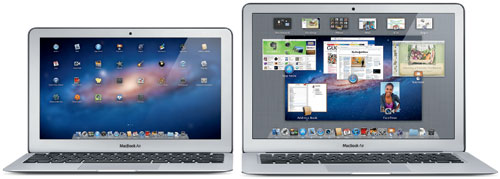
Photo Credit: Apple, Inc. (Left - 11" MacBook Air, Right - 13" MacBook Air)
Identification Help
If you're not sure if you have a "Mid-2012" MacBook Air, these notebooks share Model Numbers with other lines, so this identifier is not suitable for the purpose of upgrading the SSD.
However, these systems can be uniquely identified externally by EMC Numbers -- 2558 and 2559, for the 11-Inch and 13-Inch "Mid-2012" models, respectively. As the site has done so for more than two decades, EveryMac.com has carefully hand documented these identifiers for your convenience.
These models also can be pinpointed by Model Identifier in software. To locate the model identifier, select "About This Mac" under the Apple Menu on your computer, click the "More Info..." button, and finally click the "System Report" button. The model identifiers are MacBookAir5,1 for the 11-Inch model and MacBookAir5,2 for the 13-Inch model.
Finally, EveryMac.com's Ultimate Mac Lookup feature additionally can uniquely identify these MacBook Air models by their serial numbers.
Upgrade Obstacles & SSD Details
Apple does not intend for end users to upgrade the SSD in these models themselves and the company has used uncommon "pentalobe" screws -- sometimes called five-point Torx screws -- to make access more difficult.
However, access is quite possible -- and even fairly simple -- with the right screwdriver. The SSD is a removable module and Apple has not blocked upgrades in firmware, either.
Consequently, third-parties, like site sponsor OWC have developed replacement SSDs that have a compatible connector. OWC offers the Mercury Aura Pro line of SSDs for the "Mid-2012" MacBook Air with capacities that range from 120 GB to 480 GB and even provides the needed screwdriver along with the replacement SSD modules.
SSD Upgrade Instructions
The bottom plate of each "Mid-2012" MacBook Air is held in place by ten screws, but when then plate is removed, access to the SSD simply requires the removal of one more screw.
OWC provides these easy-to-follow upgrade videos, too:
"Mid-2012" 11-Inch MacBook Air
"Mid-2012" 13-Inch MacBook Air
This video covers how to install the original SSD from your MacBook Air in OWC's convenient "Envoy" housing to repurpose it as an external drive:
By watching the video for your specific MacBook Air above, you should be able to determine if you feel comfortable performing this upgrade yourself or if you would instead prefer to hire a professional.
SSD Purchase Options
Site sponsor Other World Computing sells compatible SSDs and other upgrades for MacBook Air models.
Also see:
- How do you replace or upgrade the hard drive in the original, "Late 2008" and "Mid-2009" MacBook Air models? Can you swap the hard drive for an SSD?
- How do you replace or upgrade the storage in the "Late 2010" and "Mid-2011" MacBook Air models? Is it even possible?
- How do you replace or upgrade the storage in the "Mid-2013" and subsequent MacBook Air models? Is it even possible?
- Which SD Card Slot storage solution is best for the MacBook Air? Which models are compatible? Is this kind of storage safe?
Permalink | Report an Error/Typo | Sign Up for Site Update Notices
Established in 1996, EveryMac.com has been created by experts with decades of experience with Apple hardware. EveryMac.com includes, and always has included, original research incorporating detailed, hands-on inspection of packaging, computers, and devices as well as extensive real-world use. All information is provided in good faith, but no website or person is perfect. Accordingly, EveryMac.com is provided "as is" without warranty of any kind whatsoever. EveryMac.com, and the authors thereof, shall not be held responsible or liable, under any circumstances, for any damages resulting from the use or inability to use the information within. For complete disclaimer and copyright information please read and understand the Terms of Use and the Privacy Policy before using EveryMac.com. Copying, scraping, or use of any content without expressed permission is not allowed, although links to any page are welcomed and appreciated.